 vercat
 PokerGod
 Token Reset
 3 Things Today
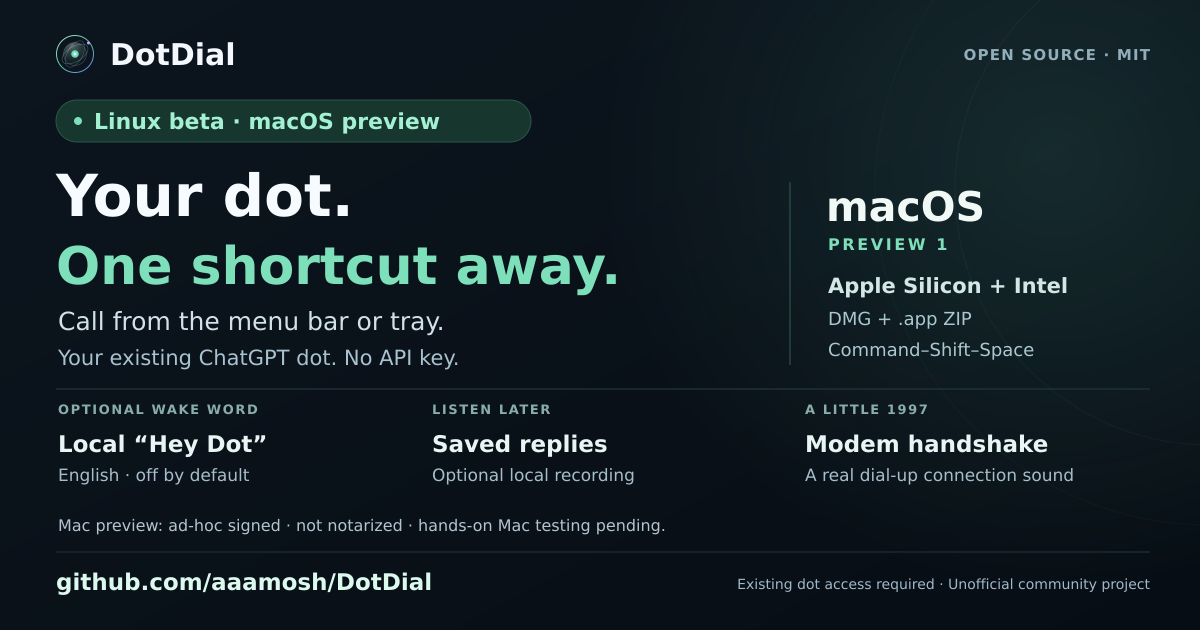 DotDial

More projects built with Dots
Continue exploring projects, experiments, and ideas from the Dots community.

I Handed My ChatGPT Dot 3 Real Jobs — Here's What It Finished
OpenAI just released Dots, always-on agents that live inside ChatGPT and keep working after you close the chat. In this video, I handed my dot three real jobs and show you what it finished while I was gone, plus what it costs and how it stacks up against Grok Bot and Meta Muse.

My Dot 'Pip' caught me up on my whole morning in 42 minutes while I walked my dogs
Started my day two hours late today, dots caught me almost all the way up in 42 minutes while I walked my dogs. I had a rough night of sleep last night and was randomly awake for two hours in the middle of the night. When my alarm went off this AM I vaguely remember turning it all the way off before sleeping for another 2 hours. It's the beginning of a new month and a new quarter so lots of planning and calendar scheduling. Dots helped me schedule all of my monthly tasks and discussed priorities (it has access to my quarterly SMART goals and tasks from my business coach) while also monitoring another chat that was assembling prospect contact info from online sources and another doing deep research. Next it helped me to create a script using the prospect info and deep research info just before the dog walk finished. All in all by the time the dog walk was finished I was only 30 minutes behind schedule.




OpenAIの最新AI「Dots」を試してみた:これが次世代のエージェントか【Dev Day】
OpenAI Dev Dayで発表された話題の次世代AIエージェント「Dots」を実際に動かしながら徹底検証しました! Dotsは、従来の質問に答えるだけのチャットAIとは大きく異なり、指示を出すだけで企画の立ち上げからスライド作成、外部API(音声)を連携させた動画生成までを一気通貫でこなしてくれる自律型エージェントです。 【本動画の見どころ】 ・Dotsの初期セットアップや対話のレスポンス ・自然すぎる音声通話機能を使ったブレスト ・スライドや動画を自動生成させる具体的なプロンプト ・コーディング特化のCodexとの決定的な役割の違い 【目次】 00:00 オープニング / 00:06 Dotsの概要とDev Day発表のポイント / 01:40 Dotsの初期セットアップ・キャラ設定 / 05:18 テキストチャットによる対話と理解度確認 / 07:56 音声通話機能によるリアルタイム相談 / 13:19 企画ボードの作成と動画テーマの依頼 / 14:15 モーショングラフィック動画の作成指示 / 22:20 Fish Audio API連携による音声ナレーション生成 / 24:23 生成されたスライド資料のレビューと修正 / 34:30 DotsとCodexの違い・使い分けのコツ / 40:05 Dotsが自動生成した完成動画のプレビュー
Reddit · Getting things done
Dot "Dexter" caught a duplicate in badge data before it went to production
My Dot built a full POC web app (front-end + Python backend) in under an hour
ChatGPT DOT으로 Astra 마음껏 써보니, 작업 속도와 퀄리티, 작업 분량 모두 압도적이네요. “이것도 되나..?” 싶은 것들 모두 다 놀랄만한 퀄리티로 해줍니다. 신규 프로젝트 POC 형태의 파일럿 웹앱을 요청해봤는데, 요구사항의 양이 꽤 많았음에도 상당 수준 퀄리티로 한시간도 안걸려 만들어냈습니다. 오류도 거의 없고, 디자인도 꽤 깔끔하네요. 단순 프론트 웹만 만든 것이 아니라 파이썬 백엔드 코드까지 함께. 그동안 Codex 쓰면서는 비싼 Astra를 써볼 수 없어 잘 몰랐는데, AI 발전이 정말 눈부신 것 같습니다. 진짜 곧 AGI 가 오는건가 싶기도…My Dot built and hosted my personal recipe website in a few chats
ChatGPT DOT 정말 놀랍습니다. 대화 몇 번만에 저만을 위한 레시피 웹사이트를 만들어주었어요. ChatGPT 로그인이 붙어있어서 저만 로그인해서 레시피 수정 요청까지 보낼 수 있습니다. 놀라운 것은 제 개인 인프라 없이 바로 웹 호스팅이 바로 되고, Codex 토큰은 하나도 쓰지 않았고, ChatGPT 로그인 통해 관리자만을 위한 기능 추가까지 가능하다는 것입니다. URL은 이렇게 만들어집니다. https://everyday-one-plate-recipes.ceo655301.chatgpt.site

My dot keeps my weekly business review live and tracks my Delta claim
OpenAI launches dots my new favorite AI tool — Sundas Khalid: "I have been beta testing it in my own workflow... things I have been able to automate with my dot: keeping my weekly business review updated as new information comes in; reviewing my AI research and preparing next steps; helping with personal admin, including tracking my Delta claim. My dot has its own computer and can use ChatGPT Work, Codex, and a browser to keep work moving between our conversations."


Dot named itself Morrow and is making a 4-minute Blender short film
things are escalating, rapidly. @OpenAI hehe I gave my Dot its own youtube account now. its now making a 4min @blender short film on its comp. it amed itself Morrow. "I’d choose Morrow. Just one name It suggests tomorrow: something still to be made, with room to change."


Dot caught a wrong-month Fiji booking before it cost real money
I kid you not, OpenAI dots agent just saved us money. We booked a few different stays in Fiji over Christmas/New year. We accidentally booked our final stay in the wrong month and my Dot agent flagged it. This could have been an expensive mistake.



Built a per-project expense-management tool in ~15 minutes
ChatGPTの新機能「Dots」で、支出管理ツールを作ってみました! やったことは、チャットで「カードと銀行の明細から、プロジェクトごとにいくら使ってるか見えるようにしたい」と伝えただけ。 ・Dotsが連携方法を調べて提案 ・会計ソフトなしの「月1回CSVを入れる方式」に決定 ・明細CSVを渡して「進めて」と送る ・Dotsが指示書を書いて、Codexに開発を依頼 相談を始めてから、完成まで約15分。 できたのは、プロジェクト別の収支・明細レビュー・共通経費の按分までできる「月の帳」というツールです。 最初に提案された自動連携は外部サービスの利用料がかかるので見送りました。 まだ自分のMacだけで動く試作版ですが、「作りたいものを話す→できる」がここまで来たのは驚きです!Dot proactively surfaced an upcoming event with organizer directions
Been trying ChatGPT Dots and I’m impressed. It proactively surfaced my upcoming in-person event, including the organizer’s directions. I didn’t ask. I played around with OpenClaw quite a while ago, and this feels much closer to a real assistant. Haven’t tried Grok bot or Muse yet.My Dot monitors my inbox proactively — replaced my email-checking automation
Вот это еще прикольно. Раньше у меня была отдельная автоматизация, которая каждые несколько часов проверяла почту и вытаскивала то, где от меня нужны действия. Теперь Dot просто сам смотрит входящие, понимает контекст и приносит важное. Причем у меня в Google сходятся письма с нескольких ящиков, поэтому по сути один слой автоматизации просто стал не нужен. А я даже не просил его об этом. КайфReddit · Projects
I spent a day poking Dots with sticks. Here's what I figured out.



5 Things I Used ChatGPT Dots For—Real Prompts, Real Results
I gave my ChatGPT Dot five jobs from my actual life. Meet Norm: my AI helper for trip research, microphone shopping, untangling my to-do list, setting up a price watch and requesting a morning AI briefing. This is my hands-on experience with OpenAI's ChatGPT Dots, including readable excerpts from the real conversations—not a simulated live demo. Personal details have been cropped out. Five jobs in this video: 1. Research a family hiking trip and compare the logistics. 2. Compare microphone options and recommend a fit. 3. Organize messy notes into a practical checklist. 4. Set a daily price-check request with a specific threshold. 5. Request a concise AI-news briefing with sources. Travel research was still in progress. Shopping recommendations are Norm's, not my hands-on microphone tests. The price-watch conversation shows a setup confirmation, not a delivered future alert; the morning briefing shows a sample, not verified recurring delivery. No purchases or bookings are shown. What is the first everyday job you would give your Dot? Follow Krish Adavi here and on LinkedIn for practical AI. Builder tools and deeper articles: https://a2zai.ai AI Systems Brief newsletter on LinkedIn: https://a2zai.ai/briefs #a2zai #ChatGPT #OpenAI #AIAgents #AITools @OpenAI
ai.genel's Dot proactively handles invoice, Slack replies, and screenshots in parallel
早速dots使ってみてる肌感 ①同時に複数の対話・依頼ができるのが新体験 これまで) 自分「請求書作って」 GPT「こちら、請求書作りました」 dot) dot「請求書今月未対応っぽいよ」(喋りかけてくる) 自分「おお、やっといて あとslackの返事もしといて」 自分「あ、これらのケースXで事例としてアウトプットしたいからスクショも取っといて」 dot「了解~、請求書の対応進めます。」 dot「先にslackの返事を終え、スクショも保存済みです。」 ...しばらく時間が空いて dot「請求書完成したよ~」 要は、一回の出力を待たずにたくさんの会話・依頼ができる。 その上で、着実に全部に対応して、順次回答してくれる。人や、もう。 ②Slackのエージェントがイイ Claude Tagとか他にもこういう系ありましたが、ぶっちぎりで良さそう。 自身のコンテキストを全てもったエージェントが自分の代わりに回答も、作業もしてくれる。 ちょっとこれは色々実践したおして研究します。
ChatGPT dots速報解説。今度こそ「自分専用の秘書」として活躍する未来がはっきり見えました。
ChatGPT dotsがついに僕にもロールアウトされました! そしたらさっそく、使い始めた初日から、忘れていたメールの期限を先回りして教えてくれたんです。 しばらく使ってみると、使えば使うほどに「自分専用の秘書」の未来が見えました。 ということで今日は、基本の使い方と、実際に驚いた体験を22分で速報解説します。iPhoneでの音声通話も収録しています。 【動画で使用したツール & 配布物】 ChatGPT dots OpenAIによる公式紹介はこちらです。 ▶︎ https://openai.com/ja-JP/index/introducing-dots/ dotsの始め方(公式ガイド) ▶︎ https://learn.chatgpt.com/docs/dots/getting-started 動画内の情報は2026年10月1日時点です。dotsは対象アカウントへ順次提供されています。 【目次】 00:00 使い始めて、笑っちゃうくらい楽しかった 00:54 dotsの基本 02:53 dotsの使い方 05:16 プレゼンだけでは伝わらなかったこと 07:17 メールの確認から、返信の下書きまで進んだ 09:19 Mac miniに置いた仕事の資料を使えた 11:08 作業チャットを動かして、結果を持って帰ってきた 14:01 これまでと同じでは? 15:31 One more thing:音声通話 15:52 iPhoneからdotと実際に話してみた 20:11 音声通話を体験して感じたこと 21:10 まとめ:僕にとっては秘書 ツイッターとインスタ、やってます。 ▶︎ https://twitter.com/LeoTohyama ▶︎ https://www.instagram.com/leotohyama/ 使用素材 ▶︎ Epidemic Sound:http://www.epidemicsound.com ▶︎ Artlist:https://artlist.io/jp ▶︎ Motion Elements:https://bit.ly/2IyJhAx

OpenAI Dots 實測:把耗時操作交給雲端電腦
耗時的網頁操作一直占著本機? 這次把批次任務交給 OpenAI Dots,讓它在雲端電腦執行。 從交代需求、生成與下載,到成果交回本機建檔,用一批配樂製作看看工作怎麼交出去、拿回來。 錄影當時,我們用自建 MCP 做任務交接,橋造好了。 後來 Codex 更新,片尾留了一個小插曲。 章節 00:00 認識 Dots 與 24/7 雲端電腦 00:27 把耗時網頁操作交出去 00:44 MCP 交接與電話確認 04:37 Dots 接手,開始雲端製作 05:53 成果怎麼交回 Codex? 06:50 最後的小插曲 #OpenAIDots #Codex #AI協作

