 vercat
 PokerGod
 Token Reset
 3 Things Today
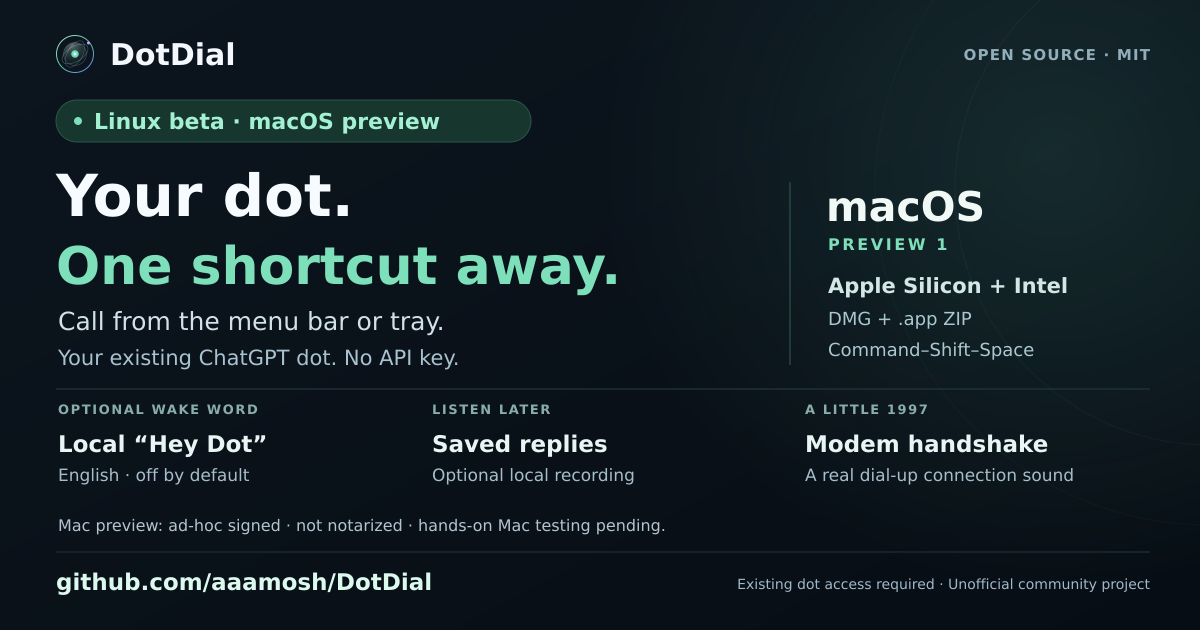 DotDial

More projects built with Dots
Continue exploring projects, experiments, and ideas from the Dots community.
Reddit · Projects
Recreated an agent dot as a 3D Gaussian Splat with GPT-6 Astra + Blender MCP


Aria's Dot is his project manager, running his website fleet hands-off
Finally got the hang of dot Now it's my PM for multiple things, running a modified versions of @kunchenguid 's stuff from his repo Muse on personal things and some random automation and vaccuuming up contents to spit back out Instinct to catch up on things and random stuff here and there What a time to be alive

Dot models a dog in Blender, starts an Xcode project, ships a Snake game
I called my AI assistant and gave it a Blender task. That was one of my first tests with ChatGPT dots, an assistant with its own cloud computer. You can call it, connect your apps, and choose to give it access to your own computer too. In this clip, I'm checking on a 3D model of my dog, watching it start an Xcode project, and looking at a finished Snake game. The part that stood out to me was being able to keep talking while it worked in the background. I could check what it was doing and give it the next task in the same conversation. These are a few quick highlights. In the full video, I go through the setup and spend more time with the actual tasks so you can see the process behind the results. Watch the full ChatGPT dots crash course on YouTube: Code with Beto (@codewithbeto). #ChatGPTDots #AIAgents #OpenAI
How I use dots in ChatGPT to run a 6 figure creator business
How I use dots in ChatGPT to run a 6 figure creator business. I'm still a full time college student, but I just got access to my own dot by OpenAI and it's basically my first employee. It works 24/7 on its own computer. Here's what mine handles: - Watches for inbound brand deals from my manager or the brand - Reads the brief and estimates how long the work will take - Checks my work and school calendars against the deadline - Drafts a message asking for more time when there's a conflict (I approve before it sends) - Reviews the contract and flags changes before I sign - Adds the deal to my Notion database and calendar Result: my deals keep moving through my pipeline without any unplanned delays. If you want your own dot, check out the link in my bio! #ChatGPT_Partner @ChatGPT


Llevo días usando Dots y Space de ChatGPT
📘 Guía gratis para trabajar con agentes de IA (PDF + 4 skills) 👉 https://devexpert.io/harness-starter?utm_source=youtube&utm_medium=video&utm_campaign=harness-starter&utm_content=openai-dots-espacios-description Domina la IA para el desarrollo de Software 👉 https://devexpert.io/cursos/expert/ai?utm_source=youtube&utm_medium=video&utm_campaign=ai-expert-evergreen&utm_content=openai-dots-espacios-description Llevo desde el viernes usando, con acceso previo, las dos novedades que OpenAI acaba de presentar en el DevDay: los Dots y ChatGPT Space. Te enseño cómo se configuran desde cero, ejemplos reales de estos días y lo que todavía está un poco en el aire. Formé parte de las pruebas de la Dev Early Access Community de OpenAI. 👉 Dots: un agente siempre encendido, con su propio ordenador en la nube, que se adelanta a lo que puedes necesitar 👉 Dónde están disponibles: planes Pro, Business Premium y Enterprise (y ojo con Pro en España) 👉 Cómo crearlo y conectarlo al correo, al calendario y a Slack, y cómo hablar con él por voz 👉 Ejemplos reales: el parking antes de un evento, la revisión de la práctica de un alumno y borradores de respuesta 👉 ChatGPT Space: páginas estilo Notion dentro de ChatGPT, con visualizaciones incrustadas 👉 Mi segundo cerebro, tablas creadas por la IA y páginas que se actualizan cada 15 minutos 👉 Lo que aún falta: desplegables en tablas, mover páginas que ya tienes, hojas de cálculo y presentaciones Si quieres seguir de cerca lo que va saliendo para trabajar con IA en el día a día, suscríbete. Y cuéntame en los comentarios si has probado otros asistentes de este tipo y qué diferencias ves. 00:00 Dots y Space: acceso previo desde el viernes 00:50 Qué son los Dots 02:39 Dónde están disponibles: planes, países y precio 03:47 Configurar un Dot desde cero 06:47 Slack, tareas en segundo plano y llamadas de voz 10:39 Ejemplos reales de estos días 13:11 ChatGPT Space: un Notion dentro de ChatGPT 15:52 Mi segundo cerebro y tablas hechas por la IA 18:10 Páginas que se actualizan solas 19:52 Trabajo en equipo y espacios compartidos 21:17 Conclusiones

ChatGPTを閉じてる間に向こうから話しかけてきたOpenAIのdots
OpenAIの常時稼働AIエージェント「dots」の機能をチェック! GmailやGitHubをつなぐと頼んでいないのにdotのほうから話しかけてきて メールに書かれた今日の期限や作業中のリポジトリのことを知らせてくる! dot専用のクラウドPCをすぐに用意できるので簡単に常時稼働AIが手に入る! 0:00 DevDayで発表されたOpenAIのdots 1:26 OpenAIのdotsとは? 3:09 OpenAIのdotsの使い方 6:12 dotsのクラウドPCとローカル接続 9:19 dotsのプロアクティブリサーチ 13:25 dotsのカスタムルールと自動レビュー 17:45 dotsに任せる範囲 ▼関連リンク dots公式ページ: https://chatgpt.com/features/dots 公式ブログ: https://openai.com/index/introducing-dots/ 安全対策ブログ: https://openai.com/index/how-we-build-safety-security-and-privacy-into-dots/ ヘルプ: https://help.openai.com/en/articles/20001530-getting-started-with-your-dot お問い合わせはこちら: chronoitchannel@gmail.com

I Tested OpenAI Dots: Can It Actually Help Me Work?
I tested OpenAI Dots to see whether an always-on AI agent could help with the work inside my agency. Here is my first setup, voice conversation, workflow test and an Arsenal-inspired football-management prototype. The useful question for me is how much work it can carry forward between my decisions. I ask it to review my projects, help with content and outreach planning, and build something I can actually look at and try. There are promising moments, but also delays, missing functionality and things that still need checking. This is an honest first-use test, not proof that Dots can run a business unattended. Outreach discussed in the recording is preparation, not evidence that messages were sent. What would you give your dot as its first real task? TOOLS AND LINKS OpenAI Dots announcement: https://openai.com/index/introducing-dots/ Dots overview: https://chatgpt.com/features/dots/ Getting started: https://help.openai.com/en/articles/20001530-getting-started-with-your-dot Codex: https://openai.com/codex/ OpenClaw, mentioned as an earlier experiment: https://openclaw.ai/ Grok, discussed in the comparison: https://grok.com/ X: https://x.com/ LinkedIn: https://www.linkedin.com/ THE FUTURE STUDIO Explore our work or contact us: https://thefuturestudio.online/ Free tools and resources: https://thefuturestudio.online/resources/ My X profile: https://x.com/rich_the_future #OpenAIDots #AIAgents #Codex
Reddit · Getting things done
I've tried Dots and it doesn't suck...

Ana Tex's Dot 'Severino' writes scripts, analyzes sales numbers, plans trips
Eu já criei o meu. O nome dele é Severino 😄 Ele já me ajudou a criar roteiros, analisar números das minhas campanhas de vendas, planejar uma viagem e pesquisar assuntos que eu precisava. ... Free, Go, Plus e Business Standard não estão no acesso anunciado. ... Segue @anatex pra aprender a usar inteligência artificial no seu negócio.

Karine Lago's Dot found forgotten Gmail emails and drafted a Notion briefing
Esse bichinho na tela pode virar seu novo assistente de trabalho 👀 A @openai apresentou os Dots no DevDay 2026... No meu teste, ele encontrou pendências no Gmail e preparou um briefing no Notion. Essa proatividade foi o que mais me chamou a atenção! ... #InteligenciaArtificial #OpenAI #ChatGPT #Dots #IA

George Yagui's Dot 'GeoDot' manages his whole Microsoft workspace
Criei o meu ChatGPT “Dot” e batizei de “GeoDot”. Preciso reconhecer que, desta vez, a Open AI chegou metendo o pé na porta! Avançou anos luz na geração de valor com IA Agêntica dentro do Desktop. O GeoDot é praticamente uma extensão minha. Está fazendo toda a gestão do meu Outlook, Teams, Sharepoint e ferramentas do Office 365. Sensacional! Assiste o vídeo e me conta nos comentários como está sendo sua experiência! #openai #openaidots #agenticai

Dots by OpenAI: The Honest Pros and Cons (and 5 Jobs to Use It For)
Darius X AI tests his own OpenAI Dot on two jobs (fictional data, nothing connected, nothing sent): (1) an invoice chaser test — gave his dot a fictional client email, and it prepared the invoice with correct math (600 + 20% VAT = 720) and listed what it needed from him before sending; (2) a content-engine test — the dot found 3 clip moments with hooks, wrote 5 lines of show notes, and drafted 2 social posts in under 90 seconds. He frames the video as 5 pros / 6 cons plus 5 jobs he'd use a dot for, verified in-video.
My Dot "Lia" does the monthly invoice chore
Testei o ChatGPT Dots em uma tarefa real: expliquei para a Lia, minha agente de IA, como eu fazia meu processo mensal (procurar nota fiscal no e-mail, baixar fatura, conferir documento, criar pasta, organizar tudo e mandar pra contabilidade), conectei meu e-mail e deixei ela trabalhar. Quando fui conferir, a pasta de setembro estava criada e os documentos estavam organizados exatamente como eu faria.

His Dot handled his whole calendar to-do list, then packed his video skills into Google Drive
Grok Bot vs Muse vs Dots: Which Makes Money? — Brandon Carter puts all three agents through real work. In the Dots segment (first-hand, access granted 'late last night'): his Dot immediately found his calendar to-do list and handled the whole thing unprompted; then, on one prompt, it found all the video-editing/content-creation skills he uses in Codex, downloaded them into a folder, wrote a usage document, and uploaded everything to his Google Drive.

Finished my main task in Toronto traffic via a voice call with my Dot
i spent an hour stuck in Toronto traffic today and ended up getting my main task done just by jamming on a google doc with my dot, dottie. mind blown by how good voice is now that it works with connected apps. love the fake phone-call UI too (plz make it native with CallKit @embirico)


I Tested ChatGPT’s NEW Dots: Is It ACTUALLY Any Good?
Live side-by-side tests of his new Dot against regular ChatGPT with the same prompts: rebuild a website from a link, turn one photo into a cinematic ad, and build a $100K/month business simulator with sliders. Results shown side by side with his honest verdict on each. 15-min honest first-look demo.


Dot 'Pixel' edited a headshot in Photoshop and saved it to her Mac
ChatGPT gave your AI its own computer and a memory. So give yours some actual work to do. 1. Have it finish a project and save the files on your computer. 2. Ask it to keep track of your projects. 3. Tell it what to watch for and when to come back with an update. Stop chatting with AI and let it actually manage something for you.


Dot proactively caught a schedule conflict and drafted my replies while I slept
GPTのdotが素晴らしい点3選 ・依頼してないのに勝手にスケジュールミスを指摘してくれる 例えば1日にカレンダー入れてるけど、メールでは2日で合意してたりすることを指摘して通知してくれる。 ・依頼してないのにメールで返答が必要なやつだけを選定し返信文まで作ってくれてる。 ・寝る前Dotsにこれ頼むと最高→「これから8時間就寝しますので、各セッションの残タスクを、これまでの依頼・承認の範囲で自律的に進め、利用可能なゴール設定やDotsの定期確認で停止した未完了セッションを再開し、行き詰まったら別の解決方法へ切り替え、僕の入力待ちは保留して他の作業を進めてください。」




Getting things done
Dot runs Spaces tracking airbnb messages, goals, groceries and github experiments



Testing OpenAI Dots with 5 real work tasks (ES)
Probé los Dots de OpenAI con 5 tareas de mi trabajo Descubre DOTS OpenAI: el nuevo agente de inteligencia artificial para automatizar tareas. Aprende a configurarlo paso a paso. En este video, explico qué es DOTS, la nueva herramienta de OpenAI, y cómo puedes empezar a usarla hoy mismo. Si buscas mejorar tu productividad, este asistente es capaz de gestionar flujos de trabajo complejos conectándose a tus herramientas habituales. Te muestro cómo configurar IA para que trabaje por ti, analizando cinco casos de uso prácticos donde este agente marc


