
More projects built with Dots
Continue exploring projects, experiments, and ideas from the Dots community.
Reddit · Projects
I spent a day poking Dots with sticks. Here's what I figured out.



5 Things I Used ChatGPT Dots For—Real Prompts, Real Results
I gave my ChatGPT Dot five jobs from my actual life. Meet Norm: my AI helper for trip research, microphone shopping, untangling my to-do list, setting up a price watch and requesting a morning AI briefing. This is my hands-on experience with OpenAI's ChatGPT Dots, including readable excerpts from the real conversations—not a simulated live demo. Personal details have been cropped out. Five jobs in this video: 1. Research a family hiking trip and compare the logistics. 2. Compare microphone options and recommend a fit. 3. Organize messy notes into a practical checklist. 4. Set a daily price-check request with a specific threshold. 5. Request a concise AI-news briefing with sources. Travel research was still in progress. Shopping recommendations are Norm's, not my hands-on microphone tests. The price-watch conversation shows a setup confirmation, not a delivered future alert; the morning briefing shows a sample, not verified recurring delivery. No purchases or bookings are shown. What is the first everyday job you would give your Dot? Follow Krish Adavi here and on LinkedIn for practical AI. Builder tools and deeper articles: https://a2zai.ai AI Systems Brief newsletter on LinkedIn: https://a2zai.ai/briefs #a2zai #ChatGPT #OpenAI #AIAgents #AITools @OpenAI
ai.genel's Dot proactively handles invoice, Slack replies, and screenshots in parallel
早速dots使ってみてる肌感 ①同時に複数の対話・依頼ができるのが新体験 これまで) 自分「請求書作って」 GPT「こちら、請求書作りました」 dot) dot「請求書今月未対応っぽいよ」(喋りかけてくる) 自分「おお、やっといて あとslackの返事もしといて」 自分「あ、これらのケースXで事例としてアウトプットしたいからスクショも取っといて」 dot「了解~、請求書の対応進めます。」 dot「先にslackの返事を終え、スクショも保存済みです。」 ...しばらく時間が空いて dot「請求書完成したよ~」 要は、一回の出力を待たずにたくさんの会話・依頼ができる。 その上で、着実に全部に対応して、順次回答してくれる。人や、もう。 ②Slackのエージェントがイイ Claude Tagとか他にもこういう系ありましたが、ぶっちぎりで良さそう。 自身のコンテキストを全てもったエージェントが自分の代わりに回答も、作業もしてくれる。 ちょっとこれは色々実践したおして研究します。
ChatGPT dots速報解説。今度こそ「自分専用の秘書」として活躍する未来がはっきり見えました。
ChatGPT dotsがついに僕にもロールアウトされました! そしたらさっそく、使い始めた初日から、忘れていたメールの期限を先回りして教えてくれたんです。 しばらく使ってみると、使えば使うほどに「自分専用の秘書」の未来が見えました。 ということで今日は、基本の使い方と、実際に驚いた体験を22分で速報解説します。iPhoneでの音声通話も収録しています。 【動画で使用したツール & 配布物】 ChatGPT dots OpenAIによる公式紹介はこちらです。 ▶︎ https://openai.com/ja-JP/index/introducing-dots/ dotsの始め方(公式ガイド) ▶︎ https://learn.chatgpt.com/docs/dots/getting-started 動画内の情報は2026年10月1日時点です。dotsは対象アカウントへ順次提供されています。 【目次】 00:00 使い始めて、笑っちゃうくらい楽しかった 00:54 dotsの基本 02:53 dotsの使い方 05:16 プレゼンだけでは伝わらなかったこと 07:17 メールの確認から、返信の下書きまで進んだ 09:19 Mac miniに置いた仕事の資料を使えた 11:08 作業チャットを動かして、結果を持って帰ってきた 14:01 これまでと同じでは? 15:31 One more thing:音声通話 15:52 iPhoneからdotと実際に話してみた 20:11 音声通話を体験して感じたこと 21:10 まとめ:僕にとっては秘書 ツイッターとインスタ、やってます。 ▶︎ https://twitter.com/LeoTohyama ▶︎ https://www.instagram.com/leotohyama/ 使用素材 ▶︎ Epidemic Sound:http://www.epidemicsound.com ▶︎ Artlist:https://artlist.io/jp ▶︎ Motion Elements:https://bit.ly/2IyJhAx

OpenAI Dots 實測:把耗時操作交給雲端電腦
耗時的網頁操作一直占著本機? 這次把批次任務交給 OpenAI Dots,讓它在雲端電腦執行。 從交代需求、生成與下載,到成果交回本機建檔,用一批配樂製作看看工作怎麼交出去、拿回來。 錄影當時,我們用自建 MCP 做任務交接,橋造好了。 後來 Codex 更新,片尾留了一個小插曲。 章節 00:00 認識 Dots 與 24/7 雲端電腦 00:27 把耗時網頁操作交出去 00:44 MCP 交接與電話確認 04:37 Dots 接手,開始雲端製作 05:53 成果怎麼交回 Codex? 06:50 最後的小插曲 #OpenAIDots #Codex #AI協作

Kevin Ly's Dot Dex reports his Codex project status from his Mac
I asked my AI where my project was up to. From my phone, it checked my connected Mac and found what was finished and what still needed building. This is OpenAI's Dot. I named mine Dex. Setup was simple: pick a name, pick a look, save. My existing account plugins loaded straight away, and Dex started suggesting things it could help with. What interests me most is having one place to ask about my Codex projects. It can work in the cloud and with files on my connected Mac, with the same Dot available on phone, desktop and web. You can call it too. My first call didn't connect, and the project lookup took a while and needed clarification. Early days, but being able to pick up my work without remembering which chat I left it in is something I'm keen to keep testing. #OpenAI #Codex #AIAgents
Reddit · Projects
The mindset shift that made Dots actually useful for me

My Dot found an old planning doc on my computer by itself
I tested OpenAI Dots on my own computer. I set up my custom Dot "Doletas" (orange sloth avatar), gave it read-only access to my machine, and asked it to review projects related to "Black" in my Nomics Workspace. Without further guidance, it autonomously searched my files, found an old Drive document from September 16 containing my "Planejamento de 16 de setembro", and reported back. It confirms Dots can browse local files, and Dots usage does not count against the GPT-6 Astra chat limit. First-hand test, screen-recorded on the creator own machine.Dot proactively completed an invoice and Slack replies, unprompted
Quote-post from GENEL (動画生成AI, @ai.genel) quoting another user's first-hand Dots report (Japanese, translated): dot proactively entered Slack conversations without being mentioned ('it jumps in on its own — it's like a human'). The quoted user reports: dot flagged an unhandled invoice for the month on its own, then when asked, replied to Slack messages, saved screenshots for an X post, and later completed the invoice — handling multiple concurrent requests and responding to each without the user waiting on one output at a time. The quoting author adds: a Slack agent with full user context replying and working on their behalf is 'ぶっちぎりで良い' (far and away the best of its kind). NOTE: this card quotes another user's first-hand account verbatim inside a quote-post with the quoter's own commentary.

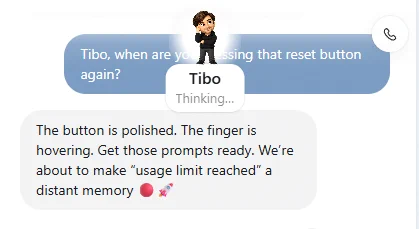
My Dot rebuilt a YouTube video in 5 minutes while I drove
최근 나온 dot가 궁금해서 바로 써봤습니다. 운전하면서 유튜브 링크 하나를 보내고 비슷하게 만들어달라고 했고, 영상을 분석할 수 없다고 하길래 웹에서 필요한 오픈소스를 내려받아 분석하라고 했습니다. 중간에 방향을 한 번 더 잡아준 것까지, 내가 요청한 건 세 마디 정도??. 이렇게 5분 뒤 오픈소스 3개를 주제로 한 26초짜리 영상이 나왔네요. 완성본이라기보다는 초안이지만, 운전하는 동안 이 정도 결과물이 만들어졌다는 게 꽤 놀랍고 당황스럽네요.My Dot 'Eddie' triaged my inbox over a call
Tengah call dengan Dot sekarang. Nama dia Eddie 😂 Apa beza call Dot dengan voice chat biasa? Yang menarik dekat Dot, dia jadi assistant ongoing. Dia ingat, - konteks kerja - boleh follow up benda yang belum settle - bagi update atau tanya bila perlukan keputusan. - rasa macam sembang dengan co-worker Ada bagi email access tadi, Dia boleh summarize apa yg penting and search email mana yg kena reply
Overnight sprint: 3 GitHub projects, a draft PR, 193 tests, a take-home invitation
I told my dot: “Surprise me by morning.” The rules were simple: spend nothing, leave my existing projects alone, and pull an all-nighter. By 9 AM, Buddy had: • Published 3 new GitHub projects • Opened an independently audited draft PR • Passed 193 targeted tests • Sent 3 DevRel applications and received a take-home invitation I also asked it to turn the night’s work into a Blender city. That’s the video below. Each district represents something it worked on. Partway through, the cloud workspace reset. Buddy rebuilt the lost files, reran the checks, and saved everything again. I handled sign-in and permission approvals. No extra money spent. No earnings yet, but working code, a real contribution and a hiring conversation to follow up on. @OpenAI @ChatGPTapp @OpenAIDevs, this is what a night with my dot looked like. I’m open to paid, remote DevRel and technical-demo projects. Repos and PR in the replies 👇


My Dot made me a 55-second motion-graphics explainer video
な!!!なんとー!! ChatGPTに仕事を任せられる「相棒」が登場したらしい😳 新機能「dots」に 「あなたは何ができるの?」って聞いたら、 できること・使い方・設定方法を55秒の動画にしてくれた💡 噂のGPT-6.1 Solでモーショングラフィックにしてもらった。 探す時間を、創る時間へ。 こういうAIの使い方、いいよね🌙 みんななら、何を任せたい? ※順次提供中。利用できる機能はプランや環境によって異なりようです。 以下のプロンプトでつくりました。 ”あけみん”て入ってるから気をつけてね🤣 「dotsのできること、理想の使い方、設定方法を誰もがわかるような形でモーショングラフィックにして、あけみんぽく、誰もが目を引く感じで、ガチでよろしく」Projects
Dot 'benny' found a major bug while investigating another issue



ChatGPT's New Dot vs My Old Automation: I Ran the Same Job Twice
OpenAI's dots are always-on agents that work toward your goals around the clock - but I already had a scheduled automation doing the same job. So I ran the exact same job both ways and scored it round by round: setup, learning curve, flexibility, maintenance, failures, and an honest verdict on who each build is really for.

OpenAI dot 첫 사용 후기|AI 비서 ‘닷율’에게 전화해봤어요
OpenAI DevDay 2026에서 발표된 dot을 직접 써봤습니다. OpenAI dots의 AI 비서에게 ‘닷율’이라는 이름을 붙이고, 꾸미고, 직접 전화해봤어요. UXUI·프론트엔드 강사 율쌤이 첫 사용에서 확인한 대화, 통화 요약, 작업 연결의 가능성과 한계를 담았습니다. 일반 챗봇과의 차이, Claude Cowork Dispatch의 데스크톱 작업 방식도 함께 살펴봤어요. 이번 테스트에서는 다른 Codex 세션으로 내용을 전달하지 못한 부분도 그대로 남겼습니다. AI를 실제 작업에 활용하는 법을 함께 배우고 싶다면, 바이브메이킹 클래스에서 만나요. AI UXUI 디자인·웹기획·프론트엔드 바이브코딩 과정 안내: https://www.vibemaking.kr/classes/ai-uxui-frontend-bootcamp ※ Shorts 설명의 주소는 클릭되지 않아 복사해서 브라우저로 열어주세요. 일정과 모집 정보는 클래스 페이지에서 확인할 수 있어요. 제작 기록 실제 통화 녹화본을 바탕으로 닷율과 함께 컷 편집·자막·모션그래픽·음량 보정을 진행했고, 배경음악과 효과음도 코드로 제작했습니다. 제 피드백을 반영해 화면과 오디오를 여러 차례 다듬었어요. 대화 화면 일부는 실제 대화를 모션그래픽으로 재구성했습니다. 음성에는 실제 AI 비서와의 통화가 포함됩니다. OpenAI 공식 소개 영상의 짧은 발췌도 포함했으며, 관련 공식 자료는 아래에 남깁니다. 공식 자료 OpenAI dots 소개: https://openai.com/index/introducing-dots/ OpenAI dots 기능: https://chatgpt.com/features/dots/ Claude Cowork Dispatch 안내: https://support.claude.com/en/articles/139470

OpenAI Dots 첫 사용기 #OpenAI #dots #AI에이전트 #ChatGPT
100달러짜리 ChatGPT Pro 구독에 딸려온 OpenAI Dots, 오늘 처음 써봤습니다. 전화로 한국어·영어 테스트 → 숨어 있던 예약 작업 찾기 → MCP 두고 브라우저 켜다 한 소리 듣기 → 앱 동기화 버그 수정까지. 처음엔 헛다리를 짚지만, 방향만 잡아주면 채팅방·Work·Codex 프로젝트를 오가며 일을 연결해 주는 중간 관리자 느낌. 근데 요금은 어떻게 되냐고 물었더니… 지도 확실히는 모른대요 ㅋㅋ #Shorts #OpenAI #OpenAIDots #Dots #AI에이전트 #ChatGPT #ChatGPTPro #Codex #MCP #AI뉴스 #AI툴 #인공지능
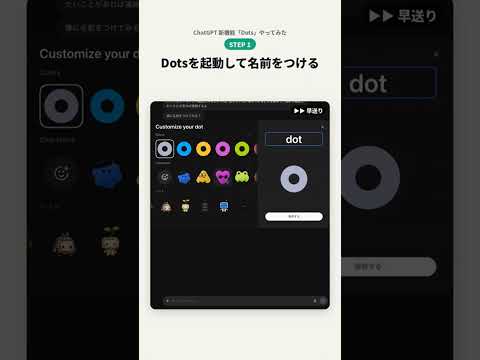
ChatGPTの新機能「Dots」で支出管理ツールを作ってみた
ChatGPTの新機能「Dots」で、支出管理ツールを作ってみました。 やったことは、チャットで「カードと銀行の明細から、プロジェクトごとにいくら使ってるか見えるようにしたい」と伝えただけ。 ・Dotsが連携方法を調べて提案 ・会計ソフトなしの「月1回CSVを入れる方式」に決定 ・明細CSVを渡して「進めて」と送る ・Dotsが指示書を書いて、Codexに開発を依頼 相談を始めてから、完成まで約15分。 できたのは、プロジェクト別の収支・明細レビュー・共通経費の按分までできる「月の帳」というツールです。 最初に提案された自動連携は外部サービスの利用料がかかるので見送りました。 まだ自分のMacだけで動く試作版ですが、「作りたいものを話す→できる」がここまで来たのは驚きです!
A DOT-powered personal work archive inside solo Slack
슬랙을 혼자 써봤다. 여기에 DOT까지 붙여봤다. 합체 변신 ㅎㅎ 코덱스에서 이것저것 만들다 보니 세션도 많고, 하던 일도 여기저기 흩어져 있다. 어디까지 했더라… 찾는 것도 일이다. 그래서 슬랙에 모으기 시작했다. 내부 프로젝트 진행표, 메일 요약, 영상 소재. DOT한테 찾아서 정리해 달라고 하고 그 글에서 다음 할 일을 이어가는 식이다. 아직 써보는 중인데 뭔가 내 작업 아카이브가 생기는 느낌이다. 혼자 쓰는 슬랙도 이렇게 쓰니 쓸모가 있네. 쌓아두기만 하지 말고, 실제로 꺼내 써봐야겠다.
My Dot built a 3D game — then a website for it
AI-native builder Aaron gave his Dot a creative mission: a ceramic courier, three energy cores, and a rocket to bring home. The Dot built the 3D game, then continued into night lighting, comfortable cameras, a real website, and an actual flight replay. The website remains a local preview (not publicly deployed); the build was creator-directed with Codex assisting on recording/rendering.
Sam Altman: my Dot triages my mornings and builds feature versions
Dan Shipper interviews Sam Altman at OpenAI's DevDay: Altman's Dot triages the issues that used to eat his early mornings and flags only what's truly urgent — giving back his most productive hours. He also gives his Dot feature ideas in spare moments and it builds five or six versions for him to review.
Reddit · Projects


